Settings & Roles
Configure HVAC Flow to match exactly how your business works
Create custom roles with per-module permissions. Configure pipeline stages for every module. Add custom fields, set document number prefixes, upload your branding. No developer needed — it's all in Settings.
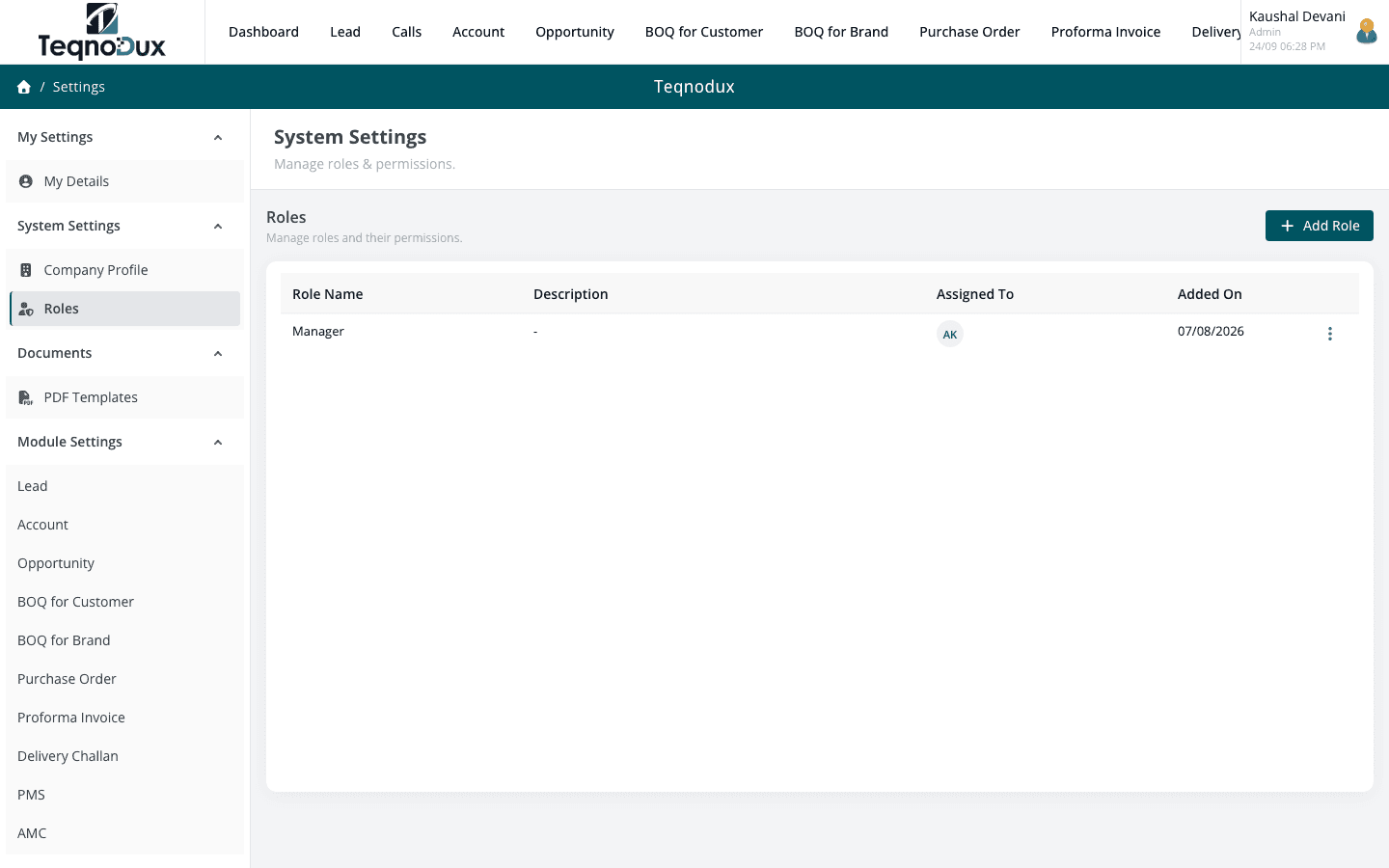
Everything Settings & Roles handles
Role-based access control: create custom roles with per-module permissions (view, create, edit, delete)
Configurable pipeline stages per module — add, reorder, rename, colour-code
Custom fields: text, number, date, dropdown, checkbox on any module
Document number prefixes: set your own OPP-###, BOQ-C-###, PO-### etc.
System preferences: date format, timezone, financial year start, default GST rate
Company logo upload and branding colours
Tenant billing addresses (billing + shipping)
How it works in practice
01
Custom roles with per-module, per-action permissions
Create roles that match how your team is structured. A sales rep can create Opportunities but not approve BOQs. A purchase manager can submit POs but not access invoicing. A service tech can update PMS status but can't see pricing. Every permission is configurable.
- Create custom roles with view / create / edit / delete permissions per module
- Assign roles to users from the Accounts / Directory employee list
- Managers see records from their full team; reps see only their own
02
Configure pipeline stages to match your workflow
Every module in HVAC Flow has configurable stages. Rename the defaults, add new ones, reorder them and colour-code each for visual clarity. Set transition rules that require attachments before a record can advance.
- Add, rename, reorder and colour-code stages per module
- Transition rules: require a document attachment before advancing a stage
- Stage changes are audit-logged with timestamp and user
Settings & Roles
Configure pipeline stages to match your workflow
Add, rename, reorder and colour-code stages per module
Transition rules: require a document attachment before advancing a stage
Stage changes are audit-logged with timestamp and user
03
Custom fields, document prefixes and company branding
Add custom fields to any module — text, number, date, dropdown, checkbox. Set the prefix and numbering format for each document type (OPP-001, BOQ-C-001, PO-001). Upload your logo and set billing addresses.
- Custom fields on any module — added from Settings UI, no code
- Document number prefixes: set OPP-###, BOQ-C-###, PO-###, INV-### etc.
- Company logo upload — appears on all PDF exports automatically
Settings & Roles
Custom fields, document prefixes and company branding
Custom fields on any module — added from Settings UI, no code
Document number prefixes: set OPP-###, BOQ-C-###, PO-###, INV-### etc.
Company logo upload — appears on all PDF exports automatically
Settings & Roles works with
Every module links across the platform — no re-entry, no disconnected data, no scattered tools.
Common questions
Yes. Each role has a permission matrix — for every module, you set whether that role can View, Create, Edit or Delete records. Common configuration: Sales role has full CRM access but read-only finance; Operations role has DC and GRN access but not pricing.
Yes. In Settings → Stage Configuration, select the module and edit stage names, order and colours. Existing records in a stage retain their stage — the display name updates immediately.
Go to Settings → Custom Fields, select the module, and add a field with a name, type (text, number, date, dropdown, checkbox) and whether it's required. The field appears in the create/edit form for that module. No developer needed.
Yes. Upload your logo in Company Settings. It appears on all PDF exports — BOQs, POs, invoices, delivery challans. Set your company's billing address, GSTIN and bank details here too.
Each document type can have a custom prefix and starting number. For example: OPP-001, BOQ-C-2025-001, PO-0042. This lets your document numbers match your existing paper records or client requirements.
Your HVAC business deserves
better than a spreadsheet.
Join HVAC companies across India who've replaced WhatsApp chaos with one clean, connected system. Start free — no credit card, no contracts.